
ST Laundry
Clients, the pickup route, quotes, and invoices were getting split across messages and paperwork.
An app that keeps that work in one place, on a desktop and a phone.
Web tools
If a spreadsheet, a group text, or a pile of files is doing a job it was not built for, I can make a small tool that fits the work.
You don’t need to know exactly what you need before reaching out.
The problem
When a task keeps getting done the same way, it starts taking more time, creates mistakes, and becomes annoying to maintain. A spreadsheet or a stack of messages can only go so far.
A spreadsheet or a stack of messages is doing a job it was not built for.
The same information gets typed in more than once.
The work has a shape, but nothing you use actually fits it.
Updates depend on someone remembering every step.
Sound familiar?
The tool follows the job, instead of making the job follow a template.
The screen stays limited to the work in front of you.
Routine updates should take less effort than they do now.
You open it, do the job, and finish. It is not a page you only visit.
What you get
A tool built around the work you already do, without forcing you into a template. The goal is to make the process easier, faster, and something you’ll actually use.
Less busy work. More progress.
See it in action
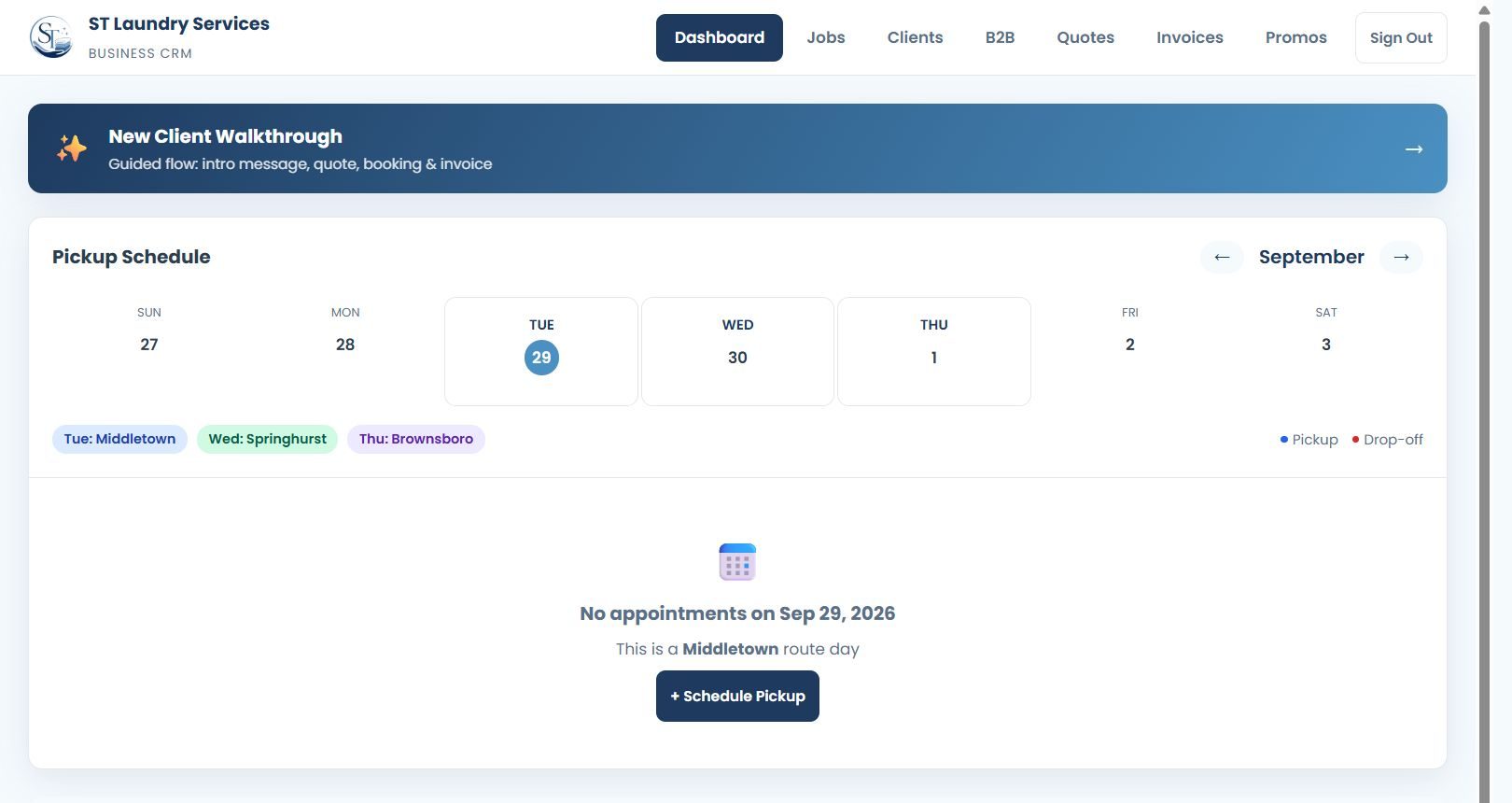
Clients, the pickup route, quotes, and invoices were getting split across messages and paperwork.
An app that keeps that work in one place, on a desktop and a phone.
What to expect
Tell me what you’re trying to do. You do not need a finished plan.
I’ll ask a few questions so I understand what you need and what the project needs to accomplish.
Once I understand the project, I’ll tell you what I charge, what’s included, and what your options are.
I’ll show you relevant work I’ve already done and, when it makes sense, a demo or preview.
Once we agree on the direction, I’ll build it and keep you updated.
You’ll get a chance to review and test everything before it goes live.
Ready when you are
You don’t need a technical plan or a finished idea. Send me a message, tell me what you need help with, and I’ll point you toward the simplest next step.
No sales pitch. No getting passed around. Just a straightforward conversation about what makes sense.