
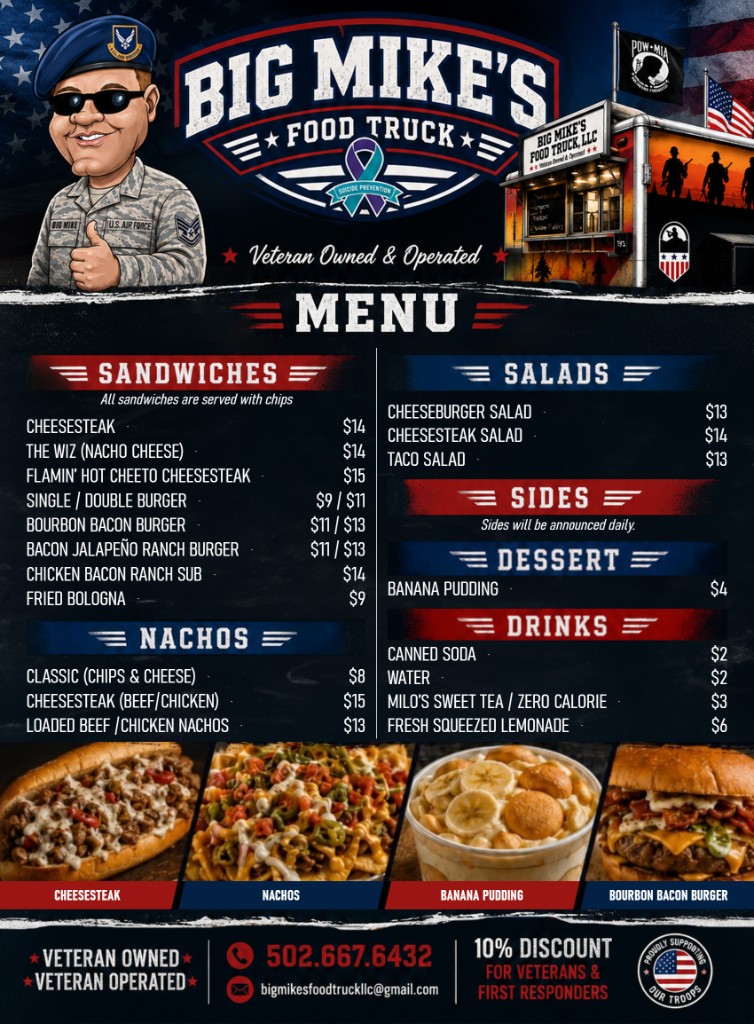
Big Mike's Food Truck
Each new menu was coming out as a different design, even when only the food had changed.
An editable menu and a matching weekly schedule, so the week can change without a new design.
Digital menus
If the food or the prices change, you should be able to update the menu without redesigning it. I’ll set it up so the look stays put while the details change.
You don’t need to know exactly what you need before reaching out.
The problem
If prices or items change often, the menu should not need a new design every time. Old posts are a hard place for customers to keep up.
Prices or items change often.
Every update means redesigning the menu.
Your social graphics never stay consistent.
You need something you can update yourself.
Customers need a cleaner way to see what you offer.
Sound familiar?
The menu keeps the same design when an item or a price changes.
You change the details. You do not start the piece over.
The menu can sit next to a schedule, a site, or a social post and still look like the same business.
People can see what you offer without digging through old posts.
What you get
A menu that keeps the same look when the details change, so customers can see what you offer.
Same look. Easier updates.
See it in action
Each new menu was coming out as a different design, even when only the food had changed.
An editable menu and a matching weekly schedule, so the week can change without a new design.
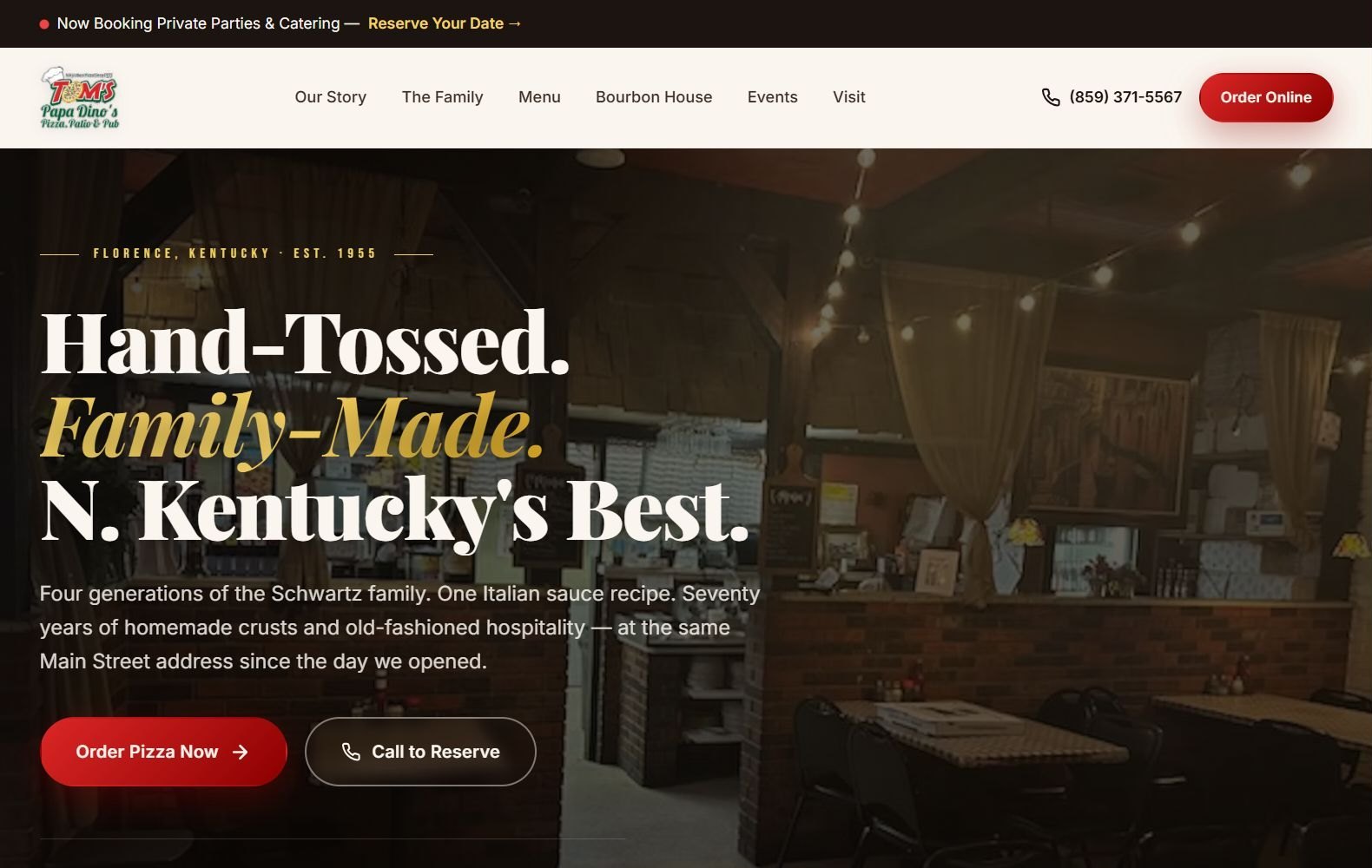
Customers needed the menu next to the story and a clear way to visit.
The menu lives on the site, with the rest of the visit, instead of as a separate file.
What to expect
Tell me what you’re trying to do. You do not need a finished plan.
I’ll ask a few questions so I understand what you need and what the project needs to accomplish.
Once I understand the project, I’ll tell you what I charge, what’s included, and what your options are.
I’ll show you relevant work I’ve already done and, when it makes sense, a demo or preview.
Once we agree on the direction, I’ll build it and keep you updated.
You’ll get a chance to review and test everything before it goes live.
Ready when you are
You don’t need a technical plan or a finished idea. Send me a message, tell me what you need help with, and I’ll point you toward the simplest next step.
No sales pitch. No getting passed around. Just a straightforward conversation about what makes sense.